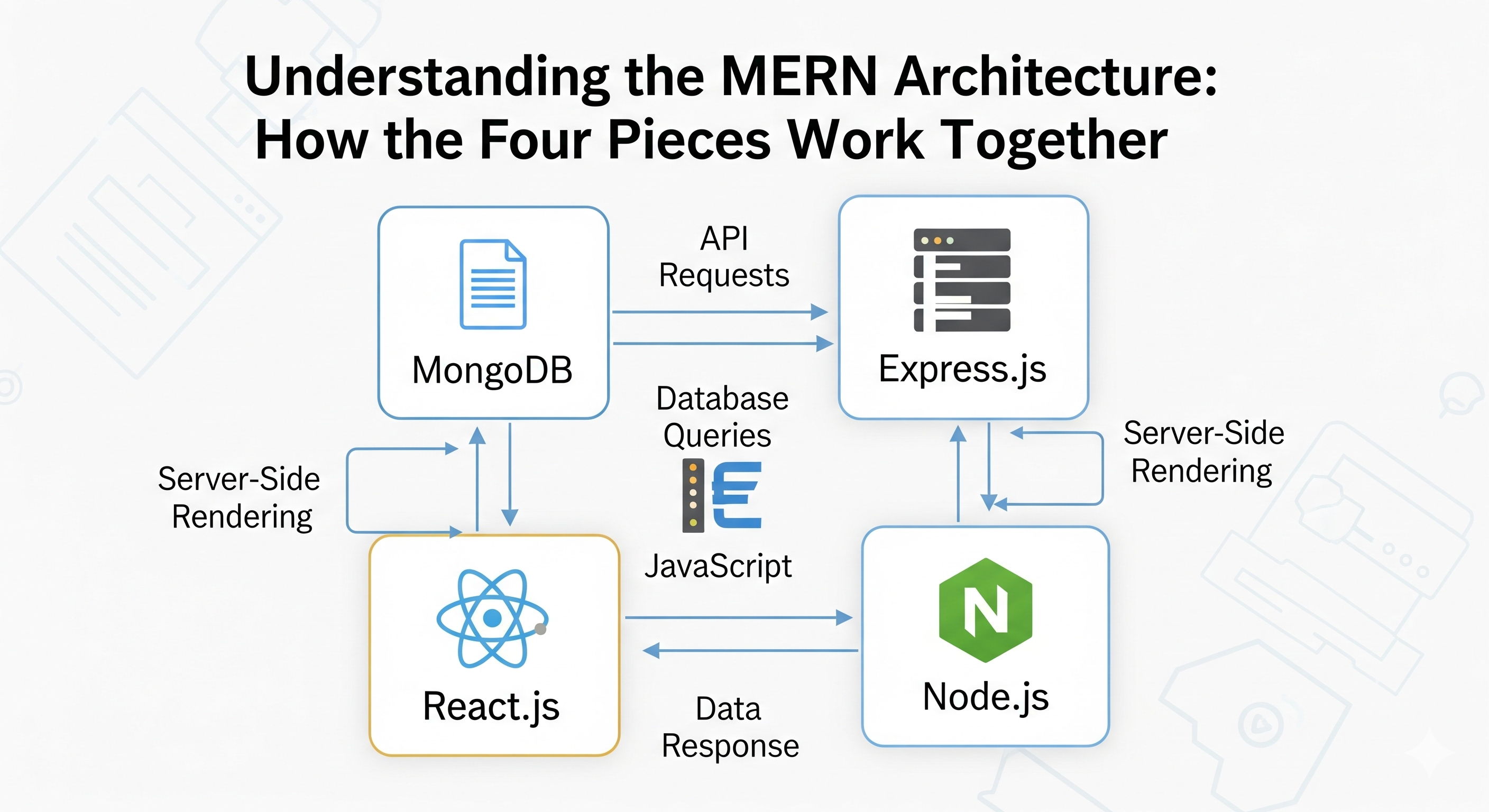
Understanding the MERN Architecture: How the Four Pieces Work Together
A practical guide to the MERN architecture, explaining how MongoDB, Express, React, and Node.js work together across requests, APIs, authentication, data fetching, testing, and deployment.
Understanding the MERN Architecture: How the Four Pieces Work Together
MERN is a full-stack JavaScript architecture built around four technologies:
- MongoDB — database
- Express — backend web framework
- React — frontend UI library
- Node.js — server-side JavaScript runtime
Knowing what each technology does is useful, but understanding how they communicate with one another is what allows you to build real-world MERN applications.
A production MERN application is more than four technologies placed together. It involves HTTP requests, API contracts, authentication, validation, database queries, client-side state, caching, error handling, testing, deployment, and observability.
This guide explains how these pieces fit together and follows a typical request from a user's browser all the way to MongoDB and back.
Quick Summary: Who Does What?
| Technology | Primary responsibility | Typical role |
|---|---|---|
| React | User interface | Components, pages, forms, client-side state |
| Express | HTTP/API layer | Routes, middleware, controllers, authentication |
| Node.js | Server runtime | Executes the backend JavaScript application |
| MongoDB | Data storage | Stores application data as BSON documents |
The basic relationship looks like this:
┌─────────────────────┐
│       React         │
│    Frontend / UI    │
└──────────┬──────────┘
           │
           │ HTTP / HTTPS
           ▼
┌─────────────────────┐
│      Express        │
│     API / Routes    │
└──────────┬──────────┘
           │
           │ Runs on
           ▼
┌─────────────────────┐
│      Node.js        │
│   Server Runtime    │
└──────────┬──────────┘
           │
           │ Database queries
           ▼
┌─────────────────────┐
│      MongoDB        │
│      Database       │
└─────────────────────┘
Express and Node.js are not separate backend servers.
Express runs inside Node.js.
That distinction is important when understanding the architecture.
1. What Does MERN Stand For?
MERN stands for:
M — MongoDB
E — Express
R — React
N — Node.js
Each layer solves a different problem.
MongoDB
MongoDB is the data storage layer.
Instead of storing information primarily as rows and tables, MongoDB stores BSON documents organized into collections.
Example:
{
  "_id": "65abc123",
  "name": "John",
  "email": "[email protected]",
  "role": "developer"
}
MongoDB is particularly useful when your application's data benefits from flexible document-oriented modeling.
Express
Express is the HTTP application framework running on Node.js.
It provides functionality for:
- Routing
- Middleware
- Request handling
- Response handling
- Authentication middleware
- Error handling
- API organization
Example:
app.get("/api/users", async (req, res) => {
  const users = await User.find();

  res.json({
    data: users,
  });
});
Node.js
Node.js provides the runtime environment that executes JavaScript outside the browser.
Your Express application is ultimately a Node.js application.
Node.js
   │
   └── Express
        │
        ├── Routes
        ├── Middleware
        ├── Controllers
        └── API logic
Node.js also provides APIs for things such as:
- Filesystem operations
- Networking
- Environment variables
- Streams
- Processes
- Cryptography
- HTTP
React
React is responsible for the frontend user interface.
It handles things such as:
- Components
- Pages
- Forms
- User interactions
- UI state
- Rendering
- Client-side navigation
- Calling backend APIs
Example:
function UserProfile({ user }) {
  return (
    <section>
      <h1>{user.name}</h1>
      <p>{user.email}</p>
    </section>
  );
}
React does not directly communicate with MongoDB in a normal MERN architecture.
Instead:
React → Express API → MongoDB
This separation is an important security boundary.
2. How the Four Pieces Work Together
Consider a user creating a blog post.
The overall flow is:
User
 │
 ▼
React UI
 │
 │ POST /api/posts
 ▼
Express Router
 │
 ▼
Authentication Middleware
 │
 ▼
Validation
 │
 ▼
Controller
 │
 ▼
Mongoose / Database Layer
 │
 ▼
MongoDB
 │
 │ Result
 ▼
Express
 │
 │ JSON response
 ▼
React
 │
 ▼
Updated UI
Each layer has a specific responsibility.
3. A Complete Request Flow
Let's walk through the process step by step.
Step 1 — User interacts with React
The user submits a form:
Create Post
───────────────
Title:  My first post
Body:   Hello MERN!
       [ Create ]
React collects the input.
Step 2 — React sends an HTTP request
React sends the data to the backend:
const response = await fetch("/api/posts", {
  method: "POST",
  headers: {
    "Content-Type": "application/json",
  },
  body: JSON.stringify({
    title,
    body,
  }),
});
The browser sends:
POST /api/posts
Content-Type: application/json

{
  "title": "My first post",
  "body": "Hello MERN!"
}
Step 3 — Express receives the request
Express matches the URL and HTTP method to a route.
router.post("/posts", createPost);
Before the controller runs, middleware can process the request.
Request
   │
   ▼
CORS
   │
   ▼
Authentication
   │
   ▼
Validation
   │
   ▼
Authorization
   │
   ▼
Controller
Step 4 — Controller processes the request
The controller contains application-specific logic.
export async function createPost(req, res, next) {
  try {
    const post = await Post.create({
      title: req.body.title,
      body: req.body.body,
      author: req.user.id,
    });

    res.status(201).json({
      data: post,
    });
  } catch (error) {
    next(error);
  }
}
A controller should generally coordinate the request rather than becoming a giant file containing every piece of application logic.
Step 5 — MongoDB stores the data
The application uses a database layer such as Mongoose:
const postSchema = new mongoose.Schema(
  {
    title: {
      type: String,
      required: true,
      trim: true,
    },

    body: {
      type: String,
      required: true,
    },

    author: {
      type: mongoose.Schema.Types.ObjectId,
      ref: "User",
      required: true,
    },
  },
  {
    timestamps: true,
  }
);

export const Post = mongoose.model("Post", postSchema);
The data is then stored in MongoDB.
Step 6 — Express sends a response
The backend returns JSON:
{
  "data": {
    "_id": "65abc123",
    "title": "My first post",
    "body": "Hello MERN!"
  }
}
Step 7 — React updates the UI
React receives the response and updates its state or server-state cache.
const result = await response.json();

setPost(result.data);
The user now sees the newly created post.
4. MERN Architecture Is Usually Layered
A production application is rarely structured as one giant Express file and one giant React component.
A common architecture separates responsibilities:
┌─────────────────────────────────────┐
│             Frontend                │
│                                     │
│ React → Components → Pages → Hooks  │
└──────────────────┬──────────────────┘
                   │
                   │ HTTP
                   ▼
┌─────────────────────────────────────┐
│               API                   │
│                                     │
│ Routes → Middleware → Controllers   │
└──────────────────┬──────────────────┘
                   │
                   ▼
┌─────────────────────────────────────┐
│          Application Layer          │
│                                     │
│ Services → Business Logic           │
└──────────────────┬──────────────────┘
                   │
                   ▼
┌─────────────────────────────────────┐
│             Data Layer              │
│                                     │
│ Mongoose / MongoDB                  │
└─────────────────────────────────────┘
This separation makes applications easier to test and maintain.
5. React: The Frontend Layer
React is responsible for what users see and interact with.
A React application might contain:
src/
├── components/
├── pages/
├── layouts/
├── hooks/
├── services/
├── lib/
├── context/
├── assets/
└── main.jsx
For example:
function CreatePostPage() {
  const [title, setTitle] = useState("");
  const [body, setBody] = useState("");

  async function handleSubmit(event) {
    event.preventDefault();

    await createPost({
      title,
      body,
    });
  }

  return (
    <form onSubmit={handleSubmit}>
      <input
        value={title}
        onChange={(event) => setTitle(event.target.value)}
      />

      <textarea
        value={body}
        onChange={(event) => setBody(event.target.value)}
      />

      <button type="submit">
        Create Post
      </button>
    </form>
  );
}
The component manages UI behavior while the API layer handles communication with the backend.
6. Calling the Express API from React
Instead of scattering fetch() calls throughout components, create an API layer.
export async function createPost(data) {
  const response = await fetch("/api/posts", {
    method: "POST",
    headers: {
      "Content-Type": "application/json",
    },
    credentials: "include",
    body: JSON.stringify(data),
  });

  if (!response.ok) {
    throw new Error("Failed to create post");
  }

  return response.json();
}
Then:
const result = await createPost({
  title,
  body,
});
This separation keeps UI components easier to understand.
7. Server State vs UI State
One important architectural distinction in React applications is the difference between server state and UI state.
Server state
Data that originates from your backend:
- Users
- Posts
- Products
- Orders
- Notifications
- Comments
Tools such as TanStack Query can help manage:
- Fetching
- Caching
- Revalidation
- Mutations
- Loading states
- Error states
UI state
Data that primarily belongs to the interface:
- Modal visibility
- Selected tab
- Sidebar state
- Form input
- Temporary UI preferences
This can often remain in React state:
const [isOpen, setIsOpen] = useState(false);
Not every piece of application data needs to live in Redux or another global state manager.
8. Express: The API Layer
Express connects HTTP requests to your application logic.
A typical backend might look like:
server/
└── src/
    ├── config/
    ├── controllers/
    ├── middleware/
    ├── models/
    ├── routes/
    ├── services/
    ├── utils/
    ├── app.js
    └── server.js
A route defines the API endpoint:
router.post(
  "/posts",
  requireAuth,
  validateCreatePost,
  createPost
);
This creates a clear processing pipeline:
POST /api/posts
       │
       ▼
Authentication
       │
       ▼
Validation
       │
       ▼
Controller
       │
       ▼
Service
       │
       ▼
Database
9. Controllers vs Services
As an application grows, it is useful to separate HTTP concerns from business logic.
Controller
The controller deals with:
reqres- HTTP status codes
- Request-specific information
export async function createPost(req, res, next) {
  try {
    const post = await postService.createPost({
      userId: req.user.id,
      title: req.body.title,
      body: req.body.body,
    });

    res.status(201).json({
      data: post,
    });
  } catch (error) {
    next(error);
  }
}
Service
The service contains business logic:
export async function createPost({ userId, title, body }) {
  return Post.create({
    author: userId,
    title,
    body,
  });
}
This makes business logic easier to reuse and test.
10. Node.js: The Runtime
Node.js is the environment that runs the Express backend.
For example:
import express from "express";

const app = express();

app.use(express.json());

app.get("/api/health", (req, res) => {
  res.json({
    status: "ok",
  });
});

app.listen(3000, () => {
  console.log("API running on port 3000");
});
Here:
Node.js
   │
   └── executes
          │
          ▼
       Express
          │
          ├── Middleware
          ├── Routes
          └── Controllers
Node's asynchronous I/O model makes it particularly useful for applications that handle many concurrent I/O operations.
CPU-heavy operations still need careful handling because long-running synchronous JavaScript can block the event loop.
11. MongoDB: The Data Layer
MongoDB stores the application's persistent data.
A collection might contain documents like:
{
  "_id": "65abc123",
  "title": "Understanding MERN",
  "body": "MERN is a JavaScript-based stack...",
  "author": "65def456",
  "createdAt": "2026-10-01T10:00:00Z"
}
The backend should normally be the component communicating with MongoDB.
React
  │
  │ HTTP
  ▼
Express / Node.js
  │
  │ Database driver / Mongoose
  ▼
MongoDB
This prevents the browser from having direct access to your database credentials and database infrastructure.
12. Data Modeling in MongoDB
MongoDB gives developers flexibility, but flexibility does not mean schema design is unnecessary.
Design documents around application access patterns.
Embed when:
- Data is closely related.
- The embedded data is bounded.
- Data is usually read together.
Reference when:
- Data is shared.
- Related data can grow significantly.
- Different resources have independent lifecycles.
For example:
const postSchema = new mongoose.Schema({
  title: String,

  author: {
    type: mongoose.Schema.Types.ObjectId,
    ref: "User",
  },
});
Indexes should be added for fields frequently used in filtering, sorting, or lookups.
postSchema.index({
  author: 1,
  createdAt: -1,
});
Indexes should be based on real query patterns rather than added indiscriminately.
13. Authentication Flow in a MERN Application
Authentication typically involves multiple layers.
A simplified flow:
User
 │
 │ Login credentials
 ▼
React
 │
 │ POST /api/auth/login
 ▼
Express
 │
 ▼
Authentication Service
 │
 ▼
MongoDB
 │
 │ Verify user
 ▼
Token / Session
 │
 ▼
React / Browser
For subsequent requests:
React
 │
 │ Authenticated request
 ▼
Express
 │
 ▼
Auth Middleware
 │
 ├── Invalid → 401
 │
 └── Valid
       │
       ▼
    Controller
For cookie-based authentication, secure cookie settings and appropriate CSRF protections should be considered.
14. Authentication Is Not Authorization
These concepts are different.
Authentication
Who are you?
Authorization
What are you allowed to do?
For example:
Authenticated user
       │
       ▼
Can access profile
       │
       ├── Own profile → Allowed
       │
       └── Admin panel → Depends on role
Express middleware can enforce authorization:
function requireRole(...roles) {
  return (req, res, next) => {
    if (!roles.includes(req.user.role)) {
      return res.status(403).json({
        error: "Forbidden",
      });
    }

    next();
  };
}
15. API Contracts
The frontend and backend communicate through an API contract.
For example:
POST /api/posts
Request:
{
  "title": "My post",
  "body": "Hello world"
}
Response:
{
  "data": {
    "id": "123",
    "title": "My post",
    "body": "Hello world"
  }
}
A stable API contract allows frontend and backend teams to evolve independently.
For larger applications, OpenAPI can be used to document the API contract.
16. Error Handling Across the Stack
Errors can occur at every layer.
React
 │
 │ Network error
 ▼
Express
 │
 │ Validation error
 ▼
Service
 │
 │ Business logic error
 ▼
MongoDB
 │
 │ Database error
 ▼
Express Error Handler
 │
 ▼
JSON Response
 │
 ▼
React Error State
A consistent API error format makes frontend handling easier.
For example:
{
  "error": {
    "code": "VALIDATION_ERROR",
    "message": "Email address is invalid"
  }
}
The frontend can then display an appropriate message without knowing backend implementation details.
17. Suggested MERN Project Structure
A larger MERN project can be organized like this:
my-app/
├── client/
│   └── src/
│       ├── components/
│       ├── pages/
│       ├── layouts/
│       ├── hooks/
│       ├── services/
│       ├── lib/
│       ├── context/
│       └── main.jsx
│
├── server/
│   └── src/
│       ├── config/
│       ├── controllers/
│       ├── middleware/
│       ├── models/
│       ├── routes/
│       ├── services/
│       ├── utils/
│       ├── app.js
│       └── server.js
│
├── .env.example
├── package.json
├── README.md
└── docker-compose.yml
The exact structure is not mandatory.
The important principle is to keep responsibilities separated.
18. Development Environment
A typical development setup might contain:
React / Vite
     │
     │ http://localhost:5173
     ▼
Express / Node.js
     │
     │ http://localhost:5000
     ▼
MongoDB
     │
     └── localhost:27017
Environment variables can define environment-specific configuration:
PORT=5000
MONGODB_URI=mongodb://localhost:27017/myapp
CLIENT_URL=http://localhost:5173
JWT_SECRET=development-secret
Production secrets should not be committed to source control.
19. Frontend and Backend Deployment
A common production architecture looks like:
                    Internet
                       │
                       ▼
              ┌─────────────────┐
              │ CDN / Proxy     │
              └────────┬────────┘
                       │
             ┌─────────┴─────────┐
             ▼                   ▼
       React Frontend       Express API
       Static / CDN         Node.js
                                 │
                                 ▼
                              MongoDB
The frontend can be deployed as static assets through a CDN.
The backend can run on:
- Virtual machines
- Containers
- Managed application platforms
- Container orchestration platforms
- Serverless-compatible infrastructure where appropriate
MongoDB can be self-hosted or provided through a managed service.
The important architectural idea is that the frontend, backend, and database can be deployed independently.
20. Environment Separation
A production application should distinguish environments.
Development
    │
    ▼
Staging
    │
    ▼
Production
Each environment should have appropriate:
- Database
- API URL
- Secrets
- Logging configuration
- Authentication configuration
- Third-party service configuration
Never accidentally point development applications at production databases.
21. Testing a MERN Application
A complete MERN application benefits from multiple levels of testing.
Unit tests
Test individual functions:
expect(calculateTotal(100, 20)).toBe(120);
Integration tests
Test API behavior:
const response = await request(app)
  .post("/api/posts")
  .send({
    title: "Test post",
    body: "Hello",
  });

expect(response.status).toBe(201);
End-to-end tests
Test complete user workflows:
Open application
      ↓
Login
      ↓
Create post
      ↓
Post appears
      ↓
Logout
Tools commonly used in modern JavaScript applications include:
- Vitest
- Jest
- React Testing Library
- Supertest
- Playwright
22. Performance and Scaling
A MERN application can scale horizontally.
For example:
                    Load Balancer
                   /      |      \
                  /       |       \
                 ▼        ▼        ▼
              Node 1   Node 2   Node 3
                 \        |        /
                  \       |       /
                   ▼      ▼      ▼
                    MongoDB
Stateless API design makes horizontal scaling easier.
If authentication or application state is stored only in the memory of one Node.js process, additional infrastructure may be required to share that state.
External systems such as Redis can be used when shared caching or shared transient state is necessary.
23. Caching
Caching can reduce database load and improve response times.
A common architecture is:
React
  │
  ▼
Express
  │
  ├── Cache hit ──→ Redis
  │
  └── Cache miss
          │
          ▼
       MongoDB
Caching should be introduced based on actual application requirements.
Important questions include:
- How long should data remain cached?
- When should cache entries expire?
- How are updates invalidated?
- Is stale data acceptable?
Incorrect cache invalidation can be worse than having no cache.
24. File Storage
Large files generally should not be stored directly inside MongoDB documents.
A common architecture is:
React
 │
 │ Upload
 ▼
Express
 │
 │ Presigned URL / Upload authorization
 ▼
Object Storage
 │
 └── S3-compatible storage
MongoDB can then store metadata:
{
  "filename": "profile.jpg",
  "url": "https://cdn.example.com/profile.jpg",
  "size": 245123
}
This keeps large binary objects outside the primary application database.
25. Background Jobs
Some tasks should not block an HTTP request.
Examples:
- Sending emails
- Image processing
- Generating reports
- Processing large files
- Notifications
- Scheduled cleanup
Instead of:
HTTP request
    │
    ▼
Long task
    │
    ▼
Response
Use a background job:
HTTP request
    │
    ▼
Create job
    │
    ▼
Fast response
    │
    ▼
Queue
    │
    ▼
Worker
    │
    ▼
Long-running task
A queue system can allow background workers to process tasks independently from the API servers.
26. Security in a MERN Architecture
Security should exist at every layer.
| Layer | Important controls |
|---|---|
| React | Avoid unsafe HTML rendering, protect sensitive UI flows |
| Express | Validation, authentication, authorization |
| Node.js | Dependency management, secure configuration |
| MongoDB | Authentication, network restrictions, least privilege |
| Infrastructure | HTTPS, firewall rules, secret management |
| CI/CD | Dependency and security scanning |
A useful rule is:
Never trust data simply because it came from your own frontend.
An attacker can call your API directly without using your React application.
27. Observability
Production applications need visibility into what is happening.
Track:
- Request latency
- HTTP status codes
- Error rates
- Database performance
- Authentication failures
- Resource utilization
- Background job failures
A simplified observability architecture:
React
  │
  ▼
API
 │
 ├── Logs ────────┐
 ├── Metrics ─────┤
 └── Errors ──────┤
                  ▼
            Monitoring
                  │
                  ▼
               Alerts
Good observability can dramatically reduce debugging time when something goes wrong in production.
28. Common MERN Architecture Mistakes
Mistake 1: Connecting React directly to MongoDB
The browser should not contain your database credentials.
Use:
React → API → MongoDB
Mistake 2: Putting everything inside one Express file
A small prototype can start this way, but large applications become difficult to maintain.
Separate:
Routes
Controllers
Services
Models
Middleware
Configuration
Mistake 3: Putting all server data into React state
Server state has different requirements from UI state.
Consider a dedicated server-state library when the application becomes data-heavy.
Mistake 4: Trusting frontend validation
Frontend validation is for user experience.
Backend validation is the security boundary.
Mistake 5: Treating authentication as authorization
A logged-in user does not automatically have permission to perform every action.
Mistake 6: Ignoring API contracts
Frontend and backend become difficult to evolve when response structures change unexpectedly.
Mistake 7: Adding indexes without checking query patterns
Indexes improve some queries but also consume storage and can increase write overhead.
Design indexes around actual access patterns.
Mistake 8: Making every operation synchronous
Long-running work can block the Node.js event loop.
Move expensive tasks to workers or background jobs where appropriate.
29. A Simple MERN Architecture Example
Imagine a job portal.
The architecture might look like:
                    Job Seeker
                        │
                        ▼
                 React Frontend
                        │
                 HTTPS / REST API
                        │
                        ▼
               Express + Node.js
                        │
          ┌─────────────┼─────────────┐
          │             │             │
          ▼             ▼             ▼
       Auth API      Jobs API      User API
          │             │             │
          └─────────────┼─────────────┘
                        │
                        ▼
                    MongoDB
A job search might follow:
User enters "React Developer"
            │
            ▼
React sends GET /api/jobs?q=React
            │
            ▼
Express validates query
            │
            ▼
Controller calls service
            │
            ▼
MongoDB executes indexed query
            │
            ▼
Express returns JSON
            │
            ▼
React updates job list
This same pattern can be applied to:
- E-commerce applications
- Social platforms
- Dashboards
- Job portals
- Learning platforms
- SaaS applications
- Content management systems
30. The MERN Architecture in One Diagram
The entire application can be simplified to:
                         USER
                           │
                           ▼
                 ┌──────────────────┐
                 │      React       │
                 │   UI / State     │
                 └────────┬─────────┘
                          │
                       HTTPS
                          │
                          ▼
                 ┌──────────────────┐
                 │     Express      │
                 │ Routes/Middleware│
                 └────────┬─────────┘
                          │
                          ▼
                 ┌──────────────────┐
                 │     Node.js      │
                 │ Runtime/Services │
                 └────────┬─────────┘
                          │
                     DB Driver
                          │
                          ▼
                 ┌──────────────────┐
                 │     MongoDB      │
                 │ Documents/Index  │
                 └──────────────────┘
Around these four core pieces, a production system can add:
CDN
Redis
Object Storage
Background Workers
Queues
Monitoring
Logging
CI/CD
Load Balancers
WAF
These are not part of the MERN acronym itself, but they are often used to make production systems more scalable, reliable, and maintainable.
31. Recommended MERN Development Workflow
A practical development workflow can be:
1. Define the feature
       ↓
2. Design the API contract
       ↓
3. Design MongoDB data model
       ↓
4. Create backend route
       ↓
5. Add validation
       ↓
6. Implement business logic
       ↓
7. Write API tests
       ↓
8. Build React UI
       ↓
9. Connect frontend to API
       ↓
10. Add loading/error states
       ↓
11. Add authentication/authorization
       ↓
12. Test complete workflow
       ↓
13. Deploy
       ↓
14. Monitor production
This workflow keeps frontend, backend, and database decisions connected instead of developing each layer in isolation.
32. When MERN Is a Good Fit
MERN can be a strong choice when:
- Your team prefers JavaScript or TypeScript.
- You need a modern SPA frontend.
- Your data fits document-oriented modeling.
- You want a large JavaScript ecosystem.
- Your frontend and backend share types or validation schemas.
- Your application needs real-time or API-driven features.
- You want flexibility in deployment architecture.
However, MERN is not automatically the right stack for every project.
The database model, team expertise, operational requirements, application complexity, and deployment environment should influence the decision.
33. Final Takeaways
The most important thing to understand about MERN is not the acronym itself.
It is the relationship between the layers:
React
  │
  │ HTTP
  ▼
Express
  │
  │ Application logic
  ▼
Node.js
  │
  │ Database access
  ▼
MongoDB
Each technology has a distinct responsibility:
- React builds the user interface.
- Express handles HTTP requests and API middleware.
- Node.js executes the backend application.
- MongoDB stores persistent application data.
Around them, production applications add authentication, authorization, validation, testing, caching, background jobs, observability, CI/CD, and infrastructure.
Once you understand how a request travels through these layers, MERN applications become much easier to design, debug, scale, and maintain.
The goal is not simply to know four technologies.
The goal is to understand how the four layers cooperate to build a complete application.
Found this helpful?
Follow me for more development insights and tutorials