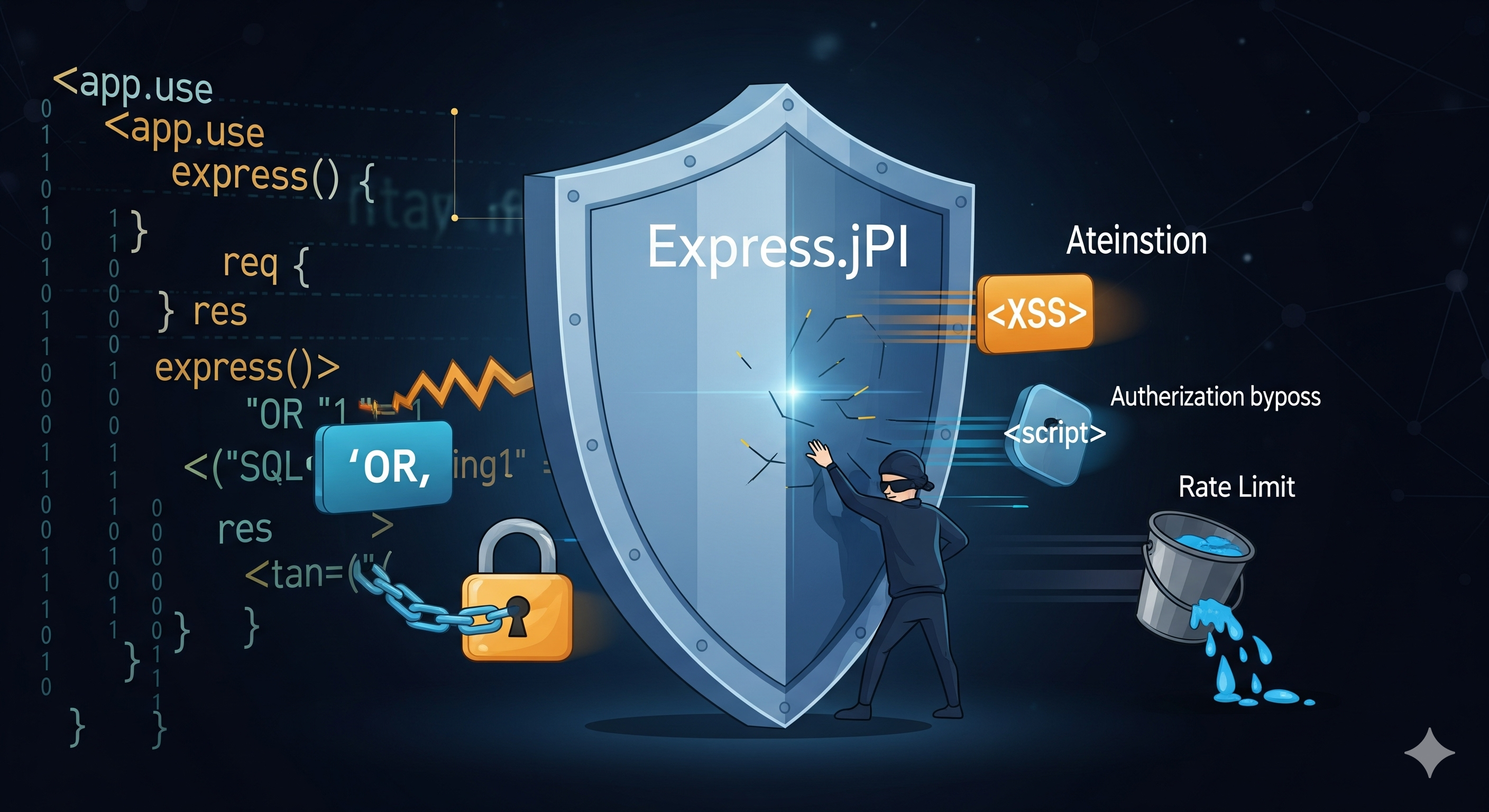
Securing Your Express API from Common Vulnerabilities
A practical 2026 guide to securing Express APIs against common vulnerabilities with secure headers, input validation, authentication, rate limiting, CSRF protection, safe file uploads, logging, and production security practices.
Securing Your Express API from Common Vulnerabilities
APIs are one of the most important attack surfaces in modern web applications. Express gives Node.js developers a flexible foundation for building APIs, but that flexibility also means security controls must be deliberately designed and configured.
A secure API is not created by adding one middleware package. It requires multiple layers of protection across the network, HTTP layer, authentication, validation, database access, file handling, dependencies, logging, and deployment.
This guide provides a practical approach to hardening an Express API against common web and API vulnerabilities.
TL;DR — Express API Security Checklist
Before deploying an Express API to production:
- Use HTTPS everywhere and configure HSTS.
- Add secure HTTP headers with
helmet. - Validate every request at the API boundary.
- Sanitize input where appropriate.
- Use parameterized database queries and safe query construction.
- Protect authentication endpoints with rate limiting.
- Use secure cookie attributes when authentication relies on cookies.
- Implement CSRF protection when using cookie-based authentication.
- Keep access tokens short-lived and rotate refresh tokens.
- Hash passwords with a modern password-hashing algorithm such as Argon2 or bcrypt.
- Restrict file upload size, type, and destination.
- Configure CORS explicitly.
- Limit JSON and URL-encoded request sizes.
- Never expose stack traces or secrets in API responses.
- Store secrets outside source control.
- Keep dependencies updated and scan them automatically.
- Log security-relevant events without logging sensitive credentials or tokens.
- Monitor errors, latency, authentication failures, and unusual traffic.
- Run security checks in CI/CD.
- Test authorization, authentication, validation, and injection defenses.
Security should be treated as a layered system, not a single middleware configuration.
1. Use HTTPS Everywhere
HTTPS protects data while it travels between the client and your API.
Without TLS, attackers on an untrusted network may be able to intercept:
- Authentication tokens
- Session cookies
- Passwords
- Personal information
- API requests and responses
For production APIs, HTTPS should be mandatory.
Reverse proxy example
If your Express application runs behind NGINX, TLS can be terminated at the reverse proxy.
server {
  listen 80;
  server_name api.example.com;

  return 301 https://$host$request_uri;
}
Your production architecture might look like:
Client
  │
  │ HTTPS
  ▼
NGINX / Load Balancer
  │
  │ HTTP or internal HTTPS
  ▼
Express API
  │
  ▼
Database
Enable HSTS
HSTS tells browsers to use HTTPS for future requests.
import helmet from "helmet";

app.use(
  helmet({
    strictTransportSecurity: {
      maxAge: 31536000,
      includeSubDomains: true,
    },
  })
);
Only enable HSTS when your domain and all relevant subdomains are correctly configured for HTTPS.
2. Configure Secure HTTP Headers
HTTP security headers provide an additional layer of protection against several classes of attacks.
helmet is commonly used to configure security-related headers in Express applications.
import helmet from "helmet";

app.use(helmet());
Helmet can help configure protections related to:
- Content sniffing
- Clickjacking
- Referrer information
- Cross-origin behavior
- Content Security Policy
- Transport security
Content Security Policy
If your application also serves HTML, consider configuring a Content Security Policy.
app.use(
  helmet({
    contentSecurityPolicy: {
      directives: {
        defaultSrc: ["'self'"],
        scriptSrc: ["'self'", "https://trusted.cdn.example"],
        styleSrc: ["'self'", "'unsafe-inline'"],
        imgSrc: ["'self'", "data:", "https:"],
      },
    },
  })
);
CSP should be designed around the actual resources your application needs rather than copied blindly.
For a pure JSON API that does not serve HTML, some browser-focused headers may be less relevant than they would be for a traditional web application.
3. Validate Every Request
Never assume that data received from a client is trustworthy.
Validate:
- Request body
- Query parameters
- URL parameters
- Headers where relevant
- File metadata
- Pagination values
- IDs and identifiers
For example, an endpoint expecting an email address and age should reject unexpected data before it reaches your business logic.
Example with Zod
import { z } from "zod";

const createUserSchema = z.object({
  email: z.string().email(),
  age: z.number().int().min(13).max(120),
});
Use the schema at the API boundary:
app.post("/api/users", async (req, res, next) => {
  try {
    const data = createUserSchema.parse(req.body);

    // Use validated data
    const user = await createUser(data);

    res.status(201).json({
      data: user,
    });
  } catch (error) {
    next(error);
  }
});
The important principle is:
Untrusted input
      │
      ▼
Validation
      │
      ▼
Business logic
      │
      ▼
Database
Do not let arbitrary client input flow directly into database queries or sensitive operations.
4. Sanitize Input Where Necessary
Validation and sanitization solve different problems.
Validation asks:
Is this input allowed?
Sanitization asks:
Can this input be safely normalized or cleaned?
For MongoDB applications, be particularly careful when user-controlled objects can influence query operators.
For example, avoid accepting arbitrary query objects like:
const users = await User.find(req.body);
Instead, explicitly construct the query:
const filter = {
  email: req.body.email,
};

const users = await User.find(filter);
This approach also makes it easier to define exactly which fields the client is allowed to query.
5. Prevent Injection Attacks
Injection vulnerabilities occur when untrusted input is interpreted as part of a query or command.
SQL
Use parameterized queries:
const result = await db.query(
  "SELECT * FROM users WHERE email = $1",
  [email]
);
Never build SQL by concatenating user input:
// Never do this
const query = `SELECT * FROM users WHERE email = '${email}'`;
MongoDB
Avoid passing arbitrary client-controlled objects directly into database queries.
// Avoid
await User.find(req.body);
Prefer an explicit filter:
const filter = {
  email: req.body.email,
};

await User.find(filter);
Also whitelist fields that users are allowed to update:
const updates = {
  name: req.body.name,
  bio: req.body.bio,
};

await User.findByIdAndUpdate(userId, updates);
The database layer should never be treated as a place where arbitrary client objects can be trusted.
6. Secure Authentication
Authentication determines who a user is. Authorization determines what that user is allowed to do.
Both need protection.
Recommended authentication practices
- Use strong password hashing.
- Never store plaintext passwords.
- Keep access tokens short-lived.
- Rotate refresh tokens.
- Revoke refresh tokens when necessary.
- Protect authentication endpoints against brute-force attacks.
- Avoid putting sensitive information inside JWT payloads.
- Never store passwords or private secrets inside JWTs.
- Use secure cookies when implementing cookie-based sessions.
JWT verification middleware
import jwt from "jsonwebtoken";

function requireAuth(req, res, next) {
  const header = req.headers.authorization;

  if (!header?.startsWith("Bearer ")) {
    return res.status(401).json({
      error: "Authentication required",
    });
  }

  const token = header.slice(7);

  try {
    req.user = jwt.verify(token, process.env.JWT_SECRET);
    next();
  } catch {
    return res.status(401).json({
      error: "Invalid or expired token",
    });
  }
}
Never put sensitive information such as passwords, access credentials, or unnecessary personal data into JWT payloads.
7. Secure Cookie-Based Authentication
If your authentication system uses cookies, configure them carefully.
res.cookie("refreshToken", token, {
  httpOnly: true,
  secure: true,
  sameSite: "lax",
  maxAge: 7 * 24 * 60 * 60 * 1000,
});
Important cookie attributes include:
| Attribute | Purpose |
|---|---|
httpOnly | Prevents JavaScript from directly reading the cookie |
secure | Sends the cookie only over HTTPS |
sameSite | Helps control cross-site cookie requests |
maxAge | Limits cookie lifetime |
The correct SameSite configuration depends on your frontend/backend architecture.
8. Protect Cookie-Based APIs Against CSRF
Cross-Site Request Forgery (CSRF) can occur when browsers automatically attach authentication cookies to requests.
If your API relies on cookie-based authentication, implement an appropriate CSRF defense.
A common pattern is:
Browser
   │
   ├── Authentication cookie
   │
   └── CSRF token
           │
           ▼
      Express API
Do not assume that CORS alone provides CSRF protection.
For APIs using bearer tokens in the Authorization header, the CSRF threat model is different because browsers do not automatically attach the authorization header to cross-site requests.
9. Rate Limit Sensitive Endpoints
Rate limiting helps reduce:
- Brute-force attacks
- Credential stuffing
- Automated account creation
- Password-reset abuse
- API scraping
- Resource exhaustion
Use express-rate-limit or an equivalent solution.
import rateLimit from "express-rate-limit";

const loginLimiter = rateLimit({
  windowMs: 15 * 60 * 1000,
  limit: 10,
  standardHeaders: "draft-8",
  legacyHeaders: false,
  message: {
    error: "Too many login attempts. Try again later.",
  },
});

app.post("/api/auth/login", loginLimiter, loginHandler);
Do not necessarily use the same limit for every endpoint.
For example:
| Endpoint | Typical protection |
|---|---|
| Login | Strict |
| Password reset | Strict |
| Signup | Strict |
| Email verification | Strict |
| Search | Moderate |
| Public content | Higher limit |
| Health check | Carefully controlled |
For distributed deployments, consider a shared rate-limit store rather than relying only on in-memory counters.
10. Limit Request Body Size
Attackers can send unexpectedly large payloads to consume memory and CPU.
Configure request limits:
app.use(
  express.json({
    limit: "100kb",
  })
);

app.use(
  express.urlencoded({
    extended: true,
    limit: "100kb",
  })
);
The appropriate limit depends on your API.
Do not use unnecessarily large global limits simply because one endpoint requires large requests. Give special endpoints their own limits where possible.
11. Secure File Uploads
File uploads require additional validation because users can send files containing unexpected or malicious content.
Important controls include:
- Require authentication where appropriate.
- Restrict file size.
- Restrict allowed file types.
- Validate file content rather than trusting the filename alone.
- Generate safe server-side filenames.
- Avoid storing uploads directly inside executable web directories.
- Scan files when the application requires it.
- Prefer object storage for production workloads.
Multer example
import multer from "multer";

const upload = multer({
  limits: {
    fileSize: 5 * 1024 * 1024,
  },
});

app.post(
  "/api/profile/avatar",
  requireAuth,
  upload.single("avatar"),
  updateAvatar
);
For production systems, validate both metadata and actual file content.
12. Configure CORS Explicitly
Cross-Origin Resource Sharing should be configured around the origins your application actually trusts.
Avoid blindly allowing every origin for authenticated APIs.
import cors from "cors";

app.use(
  cors({
    origin: "https://your-frontend.example",
    credentials: true,
  })
);
For multiple environments, use an allowlist:
const allowedOrigins = [
  "https://example.com",
  "https://www.example.com",
];

app.use(
  cors({
    origin(origin, callback) {
      if (!origin || allowedOrigins.includes(origin)) {
        return callback(null, true);
      }

      callback(new Error("Origin not allowed"));
    },
    credentials: true,
  })
);
CORS controls browser cross-origin behavior. It is not an authentication or authorization mechanism.
13. Use Authorization Checks
Authentication alone is not enough.
A user may be successfully authenticated but still not have permission to access a resource.
For example:
function requireRole(...allowedRoles) {
  return (req, res, next) => {
    if (!allowedRoles.includes(req.user.role)) {
      return res.status(403).json({
        error: "Forbidden",
      });
    }

    next();
  };
}
Then:
app.delete(
  "/api/admin/users/:id",
  requireAuth,
  requireRole("admin"),
  deleteUser
);
Always enforce authorization on the server.
Never rely on hidden buttons or frontend route protection as the actual security boundary.
14. Protect Against Broken Object-Level Authorization
A common API security mistake is allowing an authenticated user to access another user's resource simply by changing an ID.
Dangerous pattern:
app.get("/api/orders/:id", requireAuth, async (req, res) => {
  const order = await Order.findById(req.params.id);

  res.json({ data: order });
});
Instead, include ownership or authorization requirements in the database query:
app.get("/api/orders/:id", requireAuth, async (req, res) => {
  const order = await Order.findOne({
    _id: req.params.id,
    userId: req.user.id,
  });

  if (!order) {
    return res.status(404).json({
      error: "Order not found",
    });
  }

  res.json({ data: order });
});
The API should verify both:
Who are you?
     +
What resource are you requesting?
     +
Are you allowed to access it?
15. Handle Errors Centrally
Do not expose internal implementation details to API clients.
Avoid responses such as:
{
  "error": "MongoServerError: E11000 duplicate key..."
}
Instead, return a safe public message while logging the detailed error internally.
app.use((err, req, res, next) => {
  console.error(err);

  const statusCode = err.statusCode || 500;

  res.status(statusCode).json({
    error:
      statusCode >= 500
        ? "Internal server error"
        : err.message,
  });
});
In production, use structured logging instead of relying entirely on console.error.
16. Never Leak Secrets or Stack Traces
Do not return:
- Stack traces
- Database connection strings
- JWT secrets
- API keys
- Internal filesystem paths
- Environment variables
- Detailed infrastructure information
Bad:
res.status(500).json({
  error: error.stack,
});
Better:
logger.error(error);

res.status(500).json({
  error: "Internal server error",
});
Detailed diagnostics belong in protected server-side logs.
17. Use Structured Logging
Security events should be observable.
Useful events to log include:
- Failed authentication attempts
- Successful authentication
- Password-reset requests
- Authorization failures
- Suspicious request patterns
- Rate-limit violations
- Unexpected server errors
- Administrative actions
Tools such as Pino or Winston can provide structured logs.
Example:
logger.warn(
  {
    userId: req.user?.id,
    ip: req.ip,
    path: req.originalUrl,
  },
  "Authorization failure"
);
Never log secrets
Avoid logging:
Password
JWT
Refresh token
API key
Session cookie
Credit-card information
Logs themselves are sensitive infrastructure and should be protected accordingly.
18. Add Request IDs
A request ID makes it much easier to trace a request across services and logs.
import crypto from "node:crypto";

app.use((req, res, next) => {
  const requestId = req.get("x-request-id") || crypto.randomUUID();

  req.requestId = requestId;
  res.setHeader("x-request-id", requestId);

  next();
});
Then include the request ID in your logs.
This is particularly useful when your API sits behind:
- NGINX
- A load balancer
- Multiple application instances
- Background services
- External APIs
19. Secure Dependencies and the Supply Chain
Your application's security also depends on the packages it uses.
Regularly:
- Update dependencies.
- Review dependency changes.
- Commit lockfiles.
- Remove unused packages.
- Scan dependencies in CI.
- Investigate critical vulnerabilities.
- Be careful with native modules and packages with install scripts.
You can run:
npm audit
For CI:
npm audit --audit-level=high
Dependency scanning should be part of the development workflow rather than something performed only before a release.
20. Protect Environment Variables and Secrets
Never commit production secrets to Git.
Avoid:
JWT_SECRET=my-production-secret
MONGODB_URI=mongodb+srv://...
AWS_SECRET_ACCESS_KEY=...
inside a committed repository.
Use environment variables or a dedicated secret manager.
For example:
const requiredEnv = [
  "MONGODB_URI",
  "JWT_SECRET",
];

for (const key of requiredEnv) {
  if (!process.env[key]) {
    throw new Error(`Missing required environment variable: ${key}`);
  }
}
Failing fast during startup is safer than allowing an application to run with an incomplete security configuration.
21. Apply the Principle of Least Privilege
Every service should have only the permissions it needs.
For example:
Express API
    │
    ├── Database user → only required database permissions
    │
    ├── Object storage → only required bucket operations
    │
    └── Cloud services → only required API permissions
Avoid giving an application administrator-level access to every service.
Least privilege reduces the damage that can occur if one credential is compromised.
22. Secure MongoDB Access
When using MongoDB with Express:
- Use authentication.
- Encrypt connections.
- Restrict network access.
- Use least-privilege database users.
- Validate input before constructing queries.
- Avoid exposing MongoDB directly to the public internet.
- Create appropriate indexes.
- Monitor slow queries.
- Keep backups and test restoration.
Example connection:
import mongoose from "mongoose";

await mongoose.connect(process.env.MONGODB_URI);
The connection string should come from a protected environment or secret manager.
23. Prevent Blocking the Node.js Event Loop
Node.js handles many concurrent requests using an event-driven architecture.
A CPU-heavy synchronous operation can block other requests.
Avoid:
import fs from "node:fs";

const data = fs.readFileSync("large-file.json");
Prefer asynchronous APIs:
import fs from "node:fs/promises";

const data = await fs.readFile("large-file.json");
For CPU-heavy workloads, consider:
- Worker threads
- Background jobs
- Dedicated services
- Queue-based processing
Security and scalability often overlap here: an endpoint that can force expensive synchronous work may become a denial-of-service risk.
24. Use Timeouts
External services can become slow or unavailable.
Without timeouts, requests may remain pending for too long and consume application resources.
Configure timeouts for outbound HTTP requests:
const response = await fetch("https://api.example.com/data", {
  signal: AbortSignal.timeout(5000),
});
The exact timeout should depend on the operation.
For important production APIs, define reasonable timeouts for:
- Database operations
- External HTTP requests
- File processing
- Queue operations
25. Secure API Documentation
API documentation should help developers understand your API without exposing sensitive operational information.
OpenAPI is a common choice:
openapi: 3.1.0
info:
  title: Example API
  version: 1.0.0

paths:
  /users:
    get:
      summary: Get users
      responses:
        "200":
          description: Successful response
If API documentation contains administrative or internal endpoints, consider protecting the documentation UI or hosting internal documentation separately.
26. Add Security Testing
Security should be tested continuously.
Useful testing layers include:
| Test | Purpose |
|---|---|
| Unit tests | Test individual security-related functions |
| Integration tests | Test middleware and API behavior |
| E2E tests | Test complete authentication workflows |
| Dependency scans | Detect vulnerable packages |
| Static analysis | Detect suspicious code patterns |
| Fuzz testing | Test unexpected input |
| DAST | Test the running application |
Important scenarios to test include:
- Missing authentication
- Invalid tokens
- Expired tokens
- Insufficient permissions
- Invalid input
- Oversized requests
- Injection attempts
- CSRF behavior
- Rate-limit behavior
- Unauthorized resource access
27. Add Security Checks to CI/CD
Security checks should run automatically before deployment.
A simplified GitHub Actions workflow might include:
name: Security Checks

on:
  push:
    branches:
      - main
  pull_request:

jobs:
  security:
    runs-on: ubuntu-latest

    steps:
      - uses: actions/checkout@v4

      - uses: actions/setup-node@v4
        with:
          node-version: 22
          cache: npm

      - run: npm ci
      - run: npm audit --audit-level=high
      - run: npm run lint
      - run: npm test
For larger applications, add additional SAST, dependency, container, and DAST scanning where appropriate.
28. Monitor Security-Relevant Metrics
Security is not finished when deployment succeeds.
Monitor:
- HTTP 4xx rate
- HTTP 5xx rate
- Authentication failures
- Authorization failures
- Rate-limit violations
- Request latency
- Database errors
- External service failures
- Unusual traffic patterns
For example:
             API
              │
       ┌──────┴──────┐
       │             │
     Logs          Metrics
       │             │
       └──────┬──────┘
              │
           Alerts
              │
       Incident Response
Tools such as centralized logging platforms and error trackers can help identify problems before they become larger incidents.
29. Prepare an Incident Response Plan
Security incidents require more than technical detection.
Document what your team should do if:
- A token is compromised.
- An API key leaks.
- A dependency contains a critical vulnerability.
- A database credential is exposed.
- Suspicious login activity is detected.
- A production server is compromised.
A basic incident runbook should explain how to:
- Identify the incident.
- Contain the affected system.
- Revoke compromised credentials.
- Rotate secrets.
- Investigate logs.
- Restore affected services.
- Communicate the incident.
- Review what happened and improve defenses.
30. Defense in Depth
No single middleware package can secure an API.
A stronger architecture uses multiple independent layers:
                    Internet
                       │
                       ▼
              ┌─────────────────┐
              │ TLS / WAF / CDN │
              └────────┬────────┘
                       │
                       ▼
              ┌─────────────────┐
              │ Reverse Proxy   │
              │ NGINX / LB      │
              └────────┬────────┘
                       │
                       ▼
              ┌─────────────────┐
              │ Express API     │
              │                 │
              │ Helmet          │
              │ CORS            │
              │ Rate limiting   │
              │ Validation      │
              │ Authentication  │
              │ Authorization   │
              └────────┬────────┘
                       │
             ┌─────────┴─────────┐
             ▼                   ▼
        Database            Object Storage
             │                   │
             └─────────┬─────────┘
                       ▼
               Logging / Alerts
If one layer fails, other layers should still reduce the impact.
31. A Practical Secure Express Baseline
A minimal production-oriented baseline might look like this:
import express from "express";
import helmet from "helmet";
import cors from "cors";
import rateLimit from "express-rate-limit";

const app = express();

app.disable("x-powered-by");

app.use(
  helmet()
);

app.use(
  cors({
    origin: "https://your-frontend.example",
    credentials: true,
  })
);

app.use(
  express.json({
    limit: "100kb",
  })
);

app.use(
  express.urlencoded({
    extended: true,
    limit: "100kb",
  })
);

const apiLimiter = rateLimit({
  windowMs: 15 * 60 * 1000,
  limit: 100,
  standardHeaders: "draft-8",
  legacyHeaders: false,
});

app.use("/api", apiLimiter);

// Routes
app.use("/api/auth", authRoutes);
app.use("/api/users", userRoutes);
app.use("/api/orders", orderRoutes);

// Central error handler
app.use((err, req, res, next) => {
  console.error(err);

  res.status(err.statusCode || 500).json({
    error: "Internal server error",
  });
});

export default app;
This is a baseline, not a complete security solution.
Authentication, authorization, request validation, secure file handling, database security, logging, monitoring, and deployment configuration still need to be implemented according to the application's requirements.
32. Common Express Security Mistakes
Mistake 1: Trusting client-side validation
Frontend validation improves user experience, but it is not a security boundary.
Always validate on the server.
Mistake 2: Allowing unrestricted CORS
app.use(cors());
This may be acceptable for some public APIs, but authenticated APIs should generally use an explicit origin policy.
Mistake 3: Putting secrets in JWTs
JWT payloads are not encrypted by default.
Do not store passwords or sensitive secrets inside them.
Mistake 4: Returning database errors directly
Internal errors can reveal implementation details.
Return safe messages and log the details server-side.
Mistake 5: No authorization checks
Being logged in does not mean a user can access every resource.
Mistake 6: Unlimited request bodies
Large request bodies can consume significant memory.
Mistake 7: Unlimited file uploads
File uploads should have strict size and type controls.
Mistake 8: Using one rate limit everywhere
Authentication endpoints usually need much stricter limits than ordinary read endpoints.
Mistake 9: Logging tokens
Logs can be accessed by more people and systems than application secrets should be.
Mistake 10: Treating security as a final deployment step
Security should be part of architecture, development, testing, CI/CD, and monitoring.
33. Production Security Checklist
Use this checklist before deploying your Express API:
Network
- HTTPS enforced
- HSTS configured where appropriate
- Database is not publicly exposed
- Reverse proxy or load balancer configured securely
HTTP
- Helmet configured
- CORS explicitly configured
- Request body limits configured
- Appropriate timeouts configured
Authentication
- Passwords securely hashed
- Access tokens are short-lived
- Refresh tokens are rotated/revoked
- Cookies use appropriate security attributes
- Authentication endpoints are rate limited
Authorization
- Every protected endpoint checks permissions
- Resource ownership is verified
- Administrative endpoints require appropriate roles
Input & Database
- Every endpoint validates input
- Database queries do not directly trust client objects
- SQL queries use parameterization
- MongoDB queries use explicit filters
- Updateable fields are allowlisted
Files
- Upload size limits configured
- File types validated
- File contents validated where required
- Uploaded files stored safely
- Malware scanning considered where appropriate
Secrets
-
.envfiles are not committed - Production secrets use secure secret storage
- Service accounts use least privilege
- Secrets are rotated when necessary
Observability
- Structured logging configured
- Sensitive values excluded from logs
- Error tracking configured
- Security-relevant alerts configured
- Incident response runbook documented
CI/CD
- Tests run automatically
- Dependency scanning enabled
- Static analysis enabled
- Security checks run before deployment
34. A Practical Security Workflow
A useful way to approach Express API security is:
1. Identify sensitive resources
          ↓
2. Identify possible attack surfaces
          ↓
3. Validate all external input
          ↓
4. Authenticate users
          ↓
5. Authorize every protected operation
          ↓
6. Restrict requests and resources
          ↓
7. Protect database and file operations
          ↓
8. Log security-relevant events
          ↓
9. Test security controls
          ↓
10. Monitor production behavior
          ↓
11. Continuously improve
This makes security an ongoing engineering process rather than a collection of packages added at the end of development.
Final Thoughts
Securing an Express API requires multiple layers working together.
Start with the fundamentals:
- HTTPS
- Secure headers
- Input validation
- Safe database queries
- Authentication
- Authorization
- Rate limiting
- Secure file handling
- Safe error handling
- Dependency and secret management
- Logging and monitoring
- Automated security testing
The goal is not to make an API impossible to attack. The goal is to reduce the attack surface, prevent common vulnerabilities, detect suspicious behavior, and limit the impact when something goes wrong.
Security should be designed into the API from the beginning and continuously reviewed as the application, dependencies, infrastructure, and threat landscape evolve.
Found this helpful?
Follow me for more development insights and tutorials