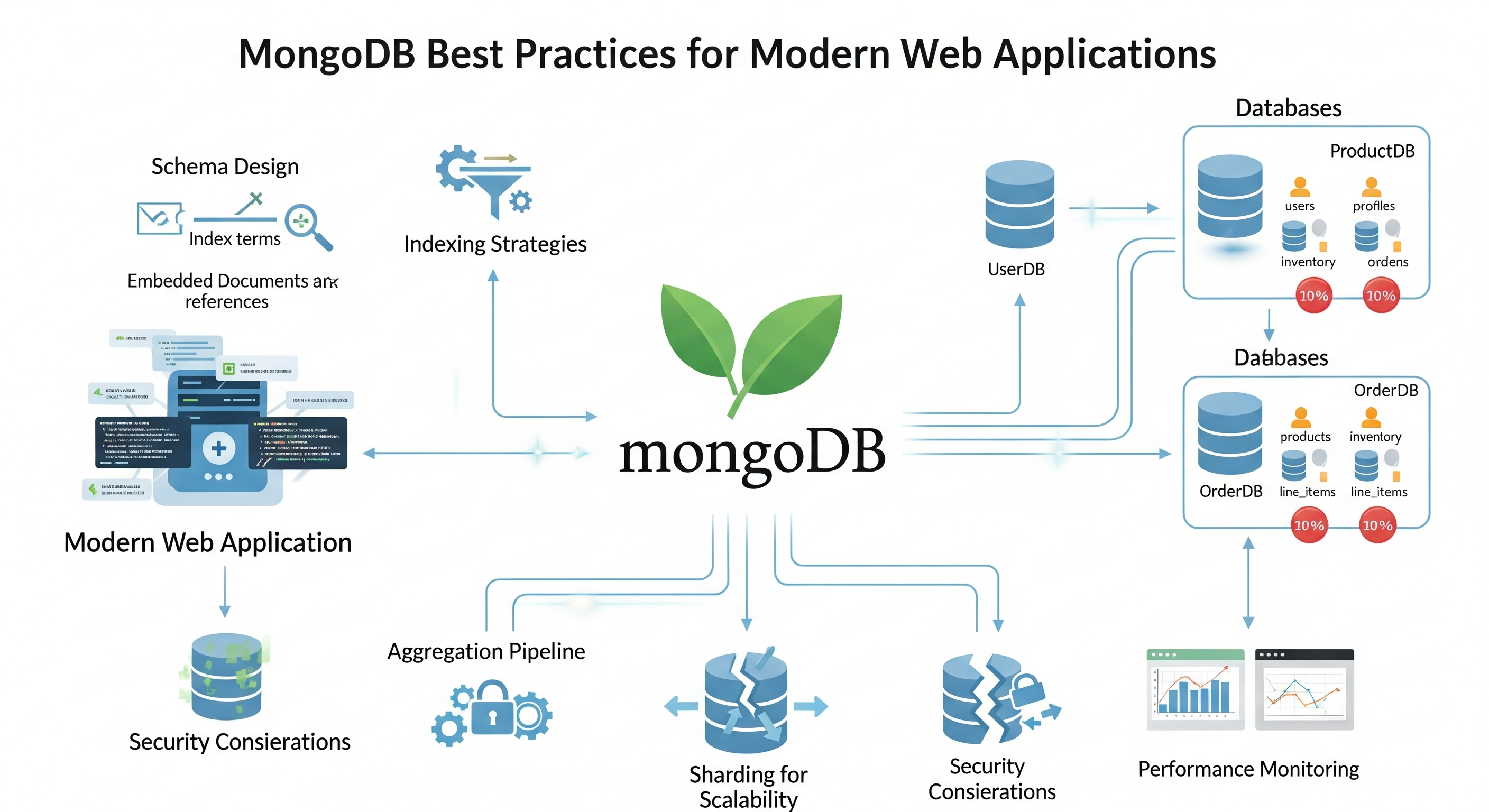
MongoDB Best Practices for Modern Web Applications
Learn practical MongoDB best practices for schema design, indexing, query optimization, data modeling, security, monitoring, and reliable production applications.
MongoDB Best Practices for Modern Web Applications
MongoDB is a flexible document database that works well for many modern web applications. Its document model makes it possible to represent application data naturally, while features such as indexes, aggregation pipelines, transactions, replication, and managed cloud deployments provide the tools needed for production systems.
However, MongoDB's flexibility does not mean that schema design and query performance can be ignored.
Poor document modeling, unnecessary indexes, inefficient queries, unbounded arrays, and weak security controls can cause problems as an application grows.
This guide covers practical MongoDB best practices for designing schemas, creating indexes, optimizing queries, handling relationships, securing databases, monitoring performance, and planning for production reliability.
MongoDB best practices at a glance
| Area | Best practice |
|---|---|
| Schema design | Design around application access patterns |
| Relationships | Embed when data belongs together; reference when data grows independently |
| Indexing | Create indexes around real query patterns |
| Queries | Return only the data you need |
| Pagination | Prefer cursor-based pagination for large datasets |
| Aggregation | Filter early and avoid unnecessarily large pipelines |
| Validation | Validate data at application and database boundaries |
| Security | Use least-privilege access and never expose database credentials |
| Monitoring | Use explain() and production monitoring |
| Backups | Maintain tested backups and recovery procedures |
| Scaling | Plan for growth before bottlenecks become production incidents |
1. Design schemas around how your application reads data
One of the most important MongoDB principles is:
Design your data model around your application's access patterns.
A relational database often starts with normalization and relationships between tables. MongoDB gives you more flexibility to structure documents around the operations your application performs most frequently.
Before creating collections, ask:
- What data is usually read together?
- Which fields are queried frequently?
- Which relationships are one-to-one?
- Which relationships can grow indefinitely?
- Which data changes independently?
- How large can a document become?
- Which queries need to be fast?
For example, if an application frequently displays a user's profile together with basic account information, embedding those fields may make sense.
{
  _id: ObjectId("..."),
  name: "John Doe",
  email: "[email protected]",
  profile: {
    bio: "Software developer",
    location: "San Francisco",
    website: "https://johndoe.com"
  }
}
The important question isn't whether embedding or referencing is universally better.
The question is:
How will the application actually use the data?
2. Embed vs. reference
MongoDB provides two common approaches for representing relationships.
Embed related data
Embedding is useful when related data:
- is usually accessed together;
- belongs naturally to the parent document;
- has a relatively small and bounded size;
- doesn't need to be independently queried or updated frequently.
Example:
{
  _id: ObjectId("..."),
  name: "John Doe",
  email: "[email protected]",
  address: {
    city: "Thiruvananthapuram",
    country: "India"
  }
}
A single query can retrieve the complete document.
Reference related data
References are useful when:
- related data is large;
- related data grows independently;
- the relationship is one-to-many or many-to-many;
- the related records are frequently accessed separately;
- embedding would create an unbounded document.
For example:
{
  _id: ObjectId("..."),
  title: "My Blog Post",
  author: ObjectId("user_id"),
  tags: [
    ObjectId("tag1"),
    ObjectId("tag2")
  ]
}
The referenced documents can live in separate collections.
Embed or reference?
| Situation | Usually consider |
|---|---|
| Small 1:1 data | Embed |
| Small 1:few relationship | Embed |
| Data always read together | Embed |
| Large related documents | Reference |
| Unbounded one-to-many relationship | Reference |
| Many-to-many relationship | Reference |
| Related data changes independently | Reference |
| Frequently accessed summary data | Consider embedding or denormalization |
There is no rule that says an application must use only one approach.
A single MongoDB application can use both embedding and references.
3. Avoid unbounded arrays
Arrays are useful, but an array that grows forever can become a schema and performance problem.
For example, this can become problematic:
{
  _id: ObjectId("..."),
  username: "john",
  notifications: [
    // thousands or potentially millions of items
  ]
}
Instead, move independently growing data into another collection:
{
  _id: ObjectId("notification_id"),
  userId: ObjectId("user_id"),
  message: "You received a new application",
  createdAt: ISODate("2026-10-01T10:00:00Z")
}
Then query notifications separately:
db.notifications
  .find({ userId: ObjectId("user_id") })
  .sort({ createdAt: -1 })
  .limit(20);
This keeps the main user document bounded.
4. Use appropriate document sizes
MongoDB documents have a maximum BSON document size.
More importantly, even before reaching that limit, excessively large documents can create unnecessary memory usage and transfer overhead.
Avoid putting every piece of an application's history into one document.
For example, instead of:
User
 ├─ profile
 ├─ settings
 ├─ all notifications
 ├─ all login history
 ├─ all transactions
 ├─ all messages
 └─ all activity
consider separate collections for independently growing data:
users
notifications
loginHistory
transactions
messages
activity
Then connect them using identifiers where appropriate.
5. Design indexes around real queries
Indexes are one of the most important tools for MongoDB performance.
Without an appropriate index, MongoDB may need to examine many documents to answer a query.
For example:
db.users.find({ email: "[email protected]" });
If email is frequently queried, an index may be appropriate:
db.users.createIndex({ email: 1 });
Common index types
Single-field index
db.users.createIndex({ email: 1 });
Compound index
db.posts.createIndex({
  authorId: 1,
  publishedAt: -1
});
This can support queries that filter by authorId and sort or filter using publishedAt.
Unique index
db.users.createIndex(
  { email: 1 },
  { unique: true }
);
This can enforce uniqueness at the database level.
Partial index
A partial index only indexes documents that satisfy a condition.
db.users.createIndex(
  { email: 1 },
  {
    partialFilterExpression: {
      email: { $exists: true }
    }
  }
);
Partial indexes can be useful when only a subset of documents participates in an important query pattern.
6. Don't create indexes for everything
Indexes improve read performance, but they aren't free.
Every additional index can:
- consume storage;
- consume memory;
- increase write overhead;
- increase maintenance cost.
Therefore, don't create an index simply because a field exists.
Create indexes based on actual query patterns.
A useful workflow is:
Identify important query
        ↓
Measure query performance
        ↓
Inspect explain()
        ↓
Create or adjust index
        ↓
Measure again
7. Understand compound index ordering
Compound indexes are sensitive to field ordering.
For example:
db.orders.createIndex({
  customerId: 1,
  createdAt: -1
});
This is designed around queries involving customerId and createdAt.
For example:
db.orders
  .find({ customerId: ObjectId("...") })
  .sort({ createdAt: -1 })
  .limit(20);
When designing compound indexes, consider:
- equality filters;
- sort fields;
- range conditions;
- the actual workload;
- index selectivity;
- query frequency.
Don't rely on a generic "always put the most selective field first" rule without testing your actual workload.
8. Use explain() to understand queries
Don't guess why a query is slow.
Use explain().
For example:
db.users
  .find({ age: { $gte: 25 } })
  .explain("executionStats");
Look at information such as:
- execution time;
- documents examined;
- keys examined;
- whether an index was used;
- how many documents were returned.
A useful goal is to avoid examining a huge number of documents just to return a small result set.
9. Return only the fields you need
If an application only needs a few fields, don't retrieve a large document unnecessarily.
For example:
db.users.find(
  { age: { $gte: 18 } },
  {
    name: 1,
    email: 1,
    _id: 0
  }
);
This projection returns only the requested fields.
The same principle applies when using MongoDB through an ODM such as Mongoose.
Reducing unnecessary data can improve:
- database work;
- network transfer;
- application memory usage;
- serialization/deserialization costs.
10. Use efficient pagination
Pagination is common in web applications.
A simple approach is:
db.posts
  .find({})
  .skip(10000)
  .limit(20);
This can become inefficient for very large offsets because the database still has to work through skipped records.
For large or frequently accessed datasets, consider cursor-based pagination.
For example:
const lastId = ObjectId("...");

db.posts
  .find({
    _id: { $gt: lastId }
  })
  .sort({
    _id: 1
  })
  .limit(20);
For production systems, design the cursor around the actual sort order and create an index that supports it.
For example:
db.posts.createIndex({
  createdAt: -1,
  _id: -1
});
Then paginate using both fields when ordering by creation time.
11. Optimize aggregation pipelines
Aggregation pipelines are powerful for reporting, analytics, filtering, and transformations.
A common principle is to reduce the amount of data as early as practical.
For example:
db.orders.aggregate([
  {
    $match: {
      status: "completed"
    }
  },
  {
    $project: {
      customerId: 1,
      total: 1,
      date: 1
    }
  },
  {
    $group: {
      _id: "$customerId",
      totalSpent: {
        $sum: "$total"
      },
      orderCount: {
        $sum: 1
      }
    }
  },
  {
    $sort: {
      totalSpent: -1
    }
  }
]);
The pipeline:
- Filters documents.
- Keeps only required fields.
- Groups the remaining data.
- Sorts the result.
The exact optimization depends on the pipeline and indexes.
12. Be careful with $lookup
MongoDB's $lookup can join related collections, but it should not automatically be treated as a replacement for thoughtful data modeling.
Before using $lookup, consider:
- how frequently the query runs;
- how many documents participate;
- whether the related data could be embedded;
- whether appropriate indexes exist;
- whether the result is too large.
For frequently accessed application paths, schema design can sometimes eliminate the need for an expensive join-like operation.
13. Use schema validation
MongoDB is flexible, but flexibility does not mean your data should have no rules.
At the application layer, Mongoose can define validation:
const userSchema = new mongoose.Schema({
  email: {
    type: String,
    required: true,
    lowercase: true,
    trim: true
  },

  age: {
    type: Number,
    min: 0,
    max: 120
  }
});
You can also use MongoDB's own schema validation features when database-level validation is appropriate.
The important principle is:
Validate data at the boundaries where untrusted or inconsistent data can enter the system.
14. Don't rely only on frontend validation
Frontend validation improves user experience.
It is not a security boundary.
For example, this frontend validation:
if (!email) {
  setError("Email is required");
}
does not mean the backend can safely assume that email is valid.
The API should validate incoming data independently:
Browser
   ↓
Frontend validation
   ↓
HTTP request
   ↓
Backend validation
   ↓
Database validation
The backend should reject malformed or unauthorized data even when the request did not originate from your own frontend.
15. Prevent injection-style query problems
Never blindly convert user-controlled objects into MongoDB queries.
For example, avoid patterns where an entire request body is passed directly into a query:
// Avoid blindly trusting user input
User.find(req.body);
Instead, explicitly select and validate the fields your endpoint supports:
const { email } = req.body;

if (typeof email !== "string") {
  return res.status(400).json({
    error: "Invalid email"
  });
}

const user = await User.findOne({ email });
Use established validation libraries such as:
- Zod
- Joi
- Yup
and apply appropriate sanitization and authorization rules.
16. Use least-privilege database access
Your application should not connect to MongoDB using an unnecessarily powerful administrative account.
Create a database user with only the permissions required by the application.
For example, a deployment may use a dedicated application account with access limited to the application's database.
Avoid hardcoding credentials:
// Never do this
const password = "my-super-secret-password";
Use environment variables or an appropriate secret-management system:
const password = process.env.MONGODB_PASSWORD;
And never commit secrets to Git.
17. Secure the MongoDB connection
A production MongoDB deployment should be protected with appropriate network and authentication controls.
Important considerations include:
- authentication enabled;
- TLS where appropriate;
- restricted network access;
- strong credentials;
- least-privilege database users;
- secure connection strings;
- secret management;
- regular dependency and infrastructure updates.
For MongoDB Atlas, configure network access and database users according to your application's actual deployment architecture.
Do not expose a production MongoDB server directly to the public internet without appropriate security controls.
18. Keep connection strings out of source code
A MongoDB connection string often contains credentials.
Avoid:
mongoose.connect(
  "mongodb+srv://user:[email protected]/myapp"
);
Prefer:
mongoose.connect(
  process.env.MONGODB_URI
);
Then configure:
MONGODB_URI=...
through the environment or a secure secret-management system.
Your .env file should normally be excluded from Git:
.env
.env.*
!.env.example
An .env.example can document the required variables without containing real credentials:
MONGODB_URI=
JWT_SECRET=
19. Handle connections correctly
Create a predictable database connection lifecycle.
For example:
import mongoose from "mongoose";

async function connectDatabase() {
  try {
    await mongoose.connect(process.env.MONGODB_URI);
    console.log("MongoDB connected");
  } catch (error) {
    console.error("MongoDB connection failed", error);
    process.exit(1);
  }
}

export default connectDatabase;
In production, also consider:
- connection pool configuration;
- startup failure handling;
- graceful shutdown;
- health checks;
- connection monitoring.
Don't repeatedly create new database connections for every request.
20. Use transactions when atomic multi-document operations are required
MongoDB supports transactions for operations that need atomicity across multiple documents or collections.
For example, if an operation updates several related pieces of data and they must either all succeed or all fail, a transaction may be appropriate.
Conceptually:
const session = await mongoose.startSession();

try {
  session.startTransaction();

  await Account.updateOne(
    { _id: senderId },
    { $inc: { balance: -100 } },
    { session }
  );

  await Account.updateOne(
    { _id: receiverId },
    { $inc: { balance: 100 } },
    { session }
  );

  await session.commitTransaction();
} catch (error) {
  await session.abortTransaction();
  throw error;
} finally {
  await session.endSession();
}
Don't use transactions for every operation.
First design your data model so that common operations can remain simple. Use transactions when the business operation genuinely requires multi-document atomicity.
21. Use appropriate write and read concerns
MongoDB provides controls for how reads and writes interact with durability and consistency.
For critical operations, understand settings such as:
writeConcern;readConcern;readPreference.
For example, financial or transactional workflows may require stronger guarantees than analytics workloads.
The correct settings depend on the application's consistency, latency, availability, and durability requirements.
22. Monitor slow operations
Production monitoring should help you discover inefficient queries before they become major problems.
MongoDB provides profiling and diagnostic capabilities.
For example, a development environment can use profiling to investigate slow operations:
db.setProfilingLevel(1, {
  slowms: 100
});
Then inspect profile data:
db.system.profile
  .find()
  .sort({ ts: -1 })
  .limit(10);
Be careful with profiling configuration in production. Choose settings appropriate for your workload and observability requirements.
23. Monitor queries with explain()
For a query that seems slow:
db.orders
  .find({
    status: "completed"
  })
  .sort({
    createdAt: -1
  })
  .explain("executionStats");
Pay attention to:
executionTimeMillis
totalDocsExamined
totalKeysExamined
nReturned
For example, if:
nReturned: 20
totalDocsExamined: 500000
the query may need investigation.
The exact acceptable ratio depends on the workload, but examining hundreds of thousands of documents to return a handful of records is often a sign that the query or index deserves attention.
24. Plan backups before production
A database backup is useful only if you can actually restore it.
Don't stop at:
"We have backups."
Test the recovery process.
A logical backup can be created with tools such as:
mongodump \
  --uri="$MONGODB_URI" \
  --out="./backup"
A restore can be performed with:
mongorestore \
  --uri="$MONGODB_URI" \
  ./backup
The exact backup strategy should depend on:
- database size;
- recovery point objectives;
- recovery time objectives;
- deployment architecture;
- managed vs self-hosted MongoDB;
- compliance requirements.
25. Test your restore process
A backup that has never been restored is an assumption, not a verified recovery strategy.
A practical process is:
Create backup
     ↓
Store backup securely
     ↓
Restore into isolated environment
     ↓
Verify data
     ↓
Document recovery procedure
     ↓
Repeat periodically
Consider keeping backups separate from the primary database infrastructure so a single infrastructure failure does not destroy both the database and its backups.
26. Understand replica sets and high availability
MongoDB replica sets provide multiple copies of data and support automatic failover.
A simplified topology can look like:
             ┌──────────────┐
             │   Primary    │
             └──────┬───────┘
                    │
          ┌─────────┴─────────┐
          ↓                   ↓
   ┌──────────────┐    ┌──────────────┐
   │   Secondary  │    │   Secondary  │
   └──────────────┘    └──────────────┘
Replica sets are important for production deployments that require availability and redundancy.
If you're using MongoDB Atlas, much of the underlying infrastructure management is handled by the service, but you still need to understand the availability characteristics of the deployment you choose.
27. Consider sharding only when you need it
Sharding distributes data across multiple MongoDB servers.
It can help applications that have workloads beyond what a single deployment can handle.
But sharding adds architectural complexity.
Don't introduce sharding simply because an application is growing.
First investigate:
- query performance;
- indexes;
- schema design;
- connection pooling;
- caching;
- hardware resources;
- read/write workload;
- application architecture.
Use sharding when the workload and scale actually justify it.
28. Use caching when appropriate
MongoDB should not necessarily handle every repeated read directly.
For frequently requested data, an application-level cache can reduce database load.
For example:
Client
  ↓
Express API
  ↓
Cache
  ├─ hit → return data
  │
  └─ miss
       ↓
    MongoDB
Common caching technologies include Redis-compatible systems and application-level caching.
Caching introduces its own challenges, especially cache invalidation and stale data.
Use it where measurement shows that caching provides meaningful benefits.
29. Avoid premature optimization
MongoDB performance tuning should be based on actual workloads.
Don't automatically:
- create dozens of indexes;
- add Redis;
- introduce sharding;
- denormalize everything;
- use transactions everywhere;
- add complicated aggregation pipelines.
Instead:
Build
  ↓
Measure
  ↓
Identify bottleneck
  ↓
Optimize
  ↓
Measure again
This keeps the architecture understandable while still allowing it to evolve as the application grows.
30. Common MongoDB mistakes
Here are some problems worth watching for.
Mistake 1: No indexes on important queries
db.users.find({ email: "[email protected]" });
If this query runs frequently, evaluate whether an index is needed.
Mistake 2: Indexing every field
Too many indexes increase storage and write overhead.
Mistake 3: Unbounded arrays
Avoid documents that continuously grow with user activity.
Mistake 4: Returning entire documents
Use projection when only a subset of fields is needed.
Mistake 5: Deep pagination with large skip() values
Consider cursor-based pagination for large datasets.
Mistake 6: Trusting frontend validation
Validate and authorize requests on the server.
Mistake 7: Hardcoding credentials
Use environment variables or a secret manager.
Mistake 8: Never testing backups
Regularly test restoration.
Mistake 9: Optimizing without measurements
Use explain(), monitoring, and real workload measurements before changing the schema or indexes.
31. A practical MongoDB production checklist
Before deploying a MongoDB-backed application, review the following:
- Schema designed around real access patterns.
- Relationships modeled intentionally.
- Unbounded arrays avoided.
- Important queries identified.
- Appropriate indexes created.
- Unused indexes reviewed.
- Slow queries analyzed with
explain(). - Large queries use projection where appropriate.
- Pagination strategy chosen intentionally.
- Aggregation pipelines reviewed.
- Input validation implemented.
- Authorization enforced on the backend.
- Database users follow least privilege.
- Credentials stored securely.
- Network access restricted appropriately.
- TLS configured where required.
- Connection handling implemented correctly.
- Transactions used where business operations require them.
- Monitoring configured.
- Backups configured.
- Restore procedure tested.
- High-availability requirements reviewed.
- Scaling requirements understood.
32. A simple MongoDB optimization workflow
When a MongoDB query becomes slow, follow a structured process.
Identify slow query
       ↓
Measure current performance
       ↓
Run explain("executionStats")
       ↓
Check indexes
       ↓
Review query shape
       ↓
Review returned fields
       ↓
Review schema design
       ↓
Optimize
       ↓
Measure again
This is usually more effective than adding indexes randomly.
Final thoughts
MongoDB's flexibility is one of its biggest strengths, but good MongoDB applications still require deliberate data modeling and performance engineering.
The most important principles are:
- Design schemas around real application access patterns.
- Embed related data when it belongs together and stays bounded.
- Reference data that grows independently or becomes too large.
- Create indexes based on real query patterns.
- Use
explain()to investigate query performance. - Return only the data your application needs.
- Use cursor-based pagination for large datasets where appropriate.
- Validate and authorize data on the server.
- Use least-privilege database accounts.
- Protect database credentials and network access.
- Use transactions when atomic multi-document operations actually require them.
- Monitor production workloads instead of guessing.
- Maintain backups and regularly test restoration.
- Scale only when measurements show that additional infrastructure is necessary.
MongoDB gives you a flexible document model, but flexibility should be paired with discipline.
The best MongoDB schema is not the one with the most normalization or the most denormalization. It is the one that matches the application's real access patterns while remaining secure, maintainable, and efficient as the workload grows.
Found this helpful?
Follow me for more development insights and tutorials